Multitaskers need tools that streamline their workflow without adding complexity. Productivity apps designed for multitasking help manage various projects and tasks efficiently. The best productivity apps combine task management, communication, and scheduling features to keep users organised and focused.
These apps allow users to switch between activities seamlessly while tracking progress and deadlines. They reduce the mental load by centralising important information and providing reminders. A well-chosen app can make multitasking smoother and more productive in any environment.
Understanding which apps offer the right balance of flexibility and functionality is key. This article explores the most effective productivity apps tailored for multitaskers who need to maximise their time and output.
Multitaskers benefit most from apps that combine flexibility, clear organisation, and seamless communication. Effective solutions streamline task management, note-taking, and team collaboration to save time and reduce context switching.
Apps like Todoist and ClickUp stand out by offering consistent experiences across desktop, mobile, and web. Todoist simplifies task lists with priority flags and due dates, ensuring users focus on what matters now. ClickUp combines tasks, docs, and goals, suitable for individuals and teams managing multiple projects.
Both apps support integrations with calendars, email, and other productivity tools, reducing the need to jump between apps. Offline access and real-time syncing keep updates visible wherever the user is working. Their simple interfaces prevent overwhelm despite their feature depth.
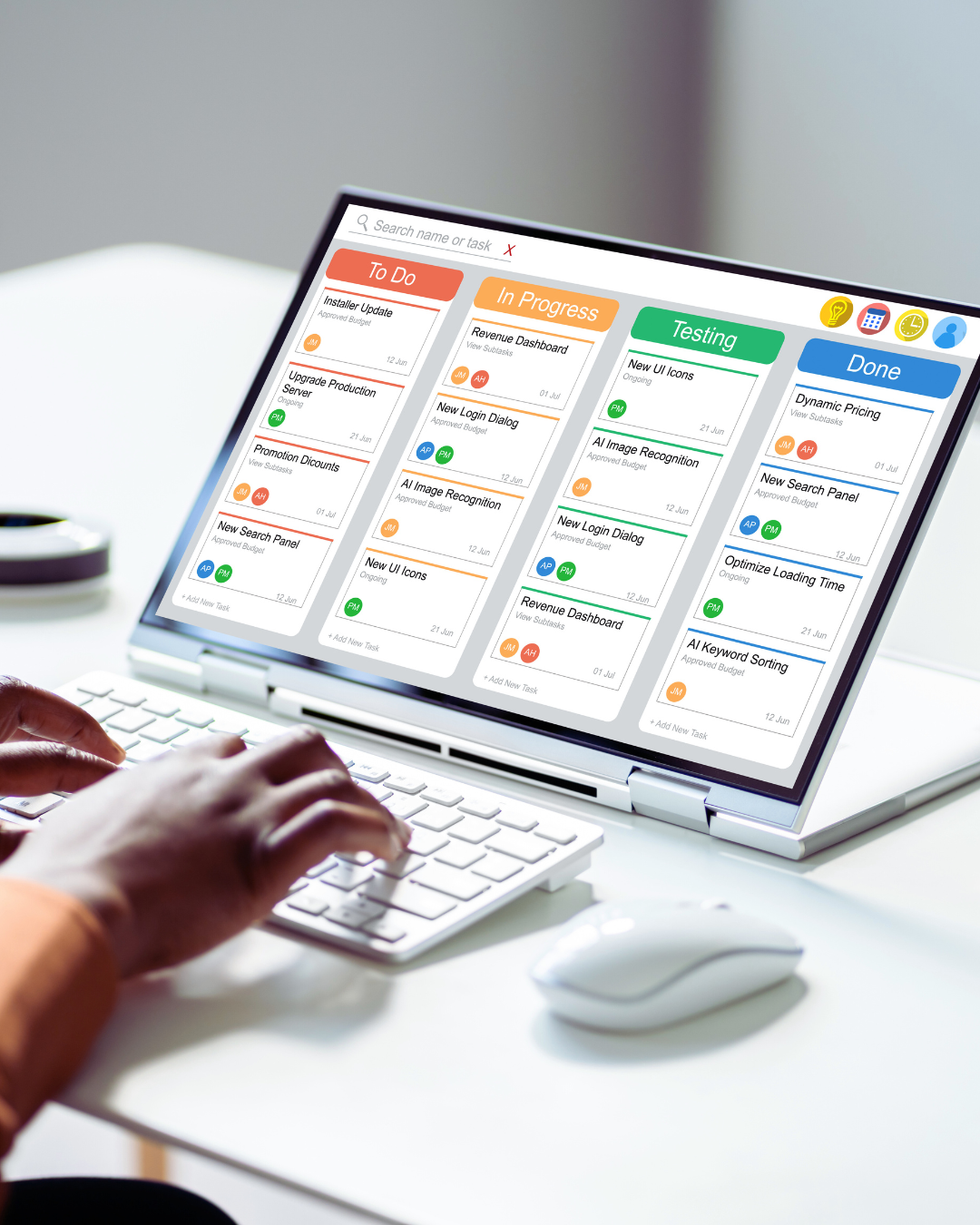
Trello uses boards, lists, and cards to visualise workflows, making multitasking intuitive. Its drag-and-drop system helps users track progress and deadlines clearly. Trello’s power-ups include calendar views and automation, which reduce repetitive work.
Asana complements this with timeline views and workload management tools. It aids multitaskers by assigning tasks, tracking dependencies, and sending timely reminders. Both support collaboration, but Asana is preferable for complex, multi-phase projects.
For capturing ideas and reference material, Notion, Evernote, and Obsidian excel. Notion offers an all-in-one workspace, combining notes, databases, and task lists with templates that suit multitasking needs.
Evernote focuses on fast note capture and powerful search functions, including image and PDF text recognition. Obsidian favours knowledge linking via markdown, making it ideal for users who build complex information webs.
Each caters to different styles: Notion is versatile, Evernote is quick and searchable, and Obsidian is for structured, long-term knowledge.
Slack, Zoom, and Discord facilitate team communication to keep multitaskers aligned. Slack’s channel-based chats and integrations streamline conversations without mixing topics.
Zoom offers reliable video conferencing with screen sharing and recording, useful for quick check-ins or detailed discussions. Discord, originally gaming-focused, supports voice channels and persistent text chats, which some teams find flexible for ongoing dialogue.
For document collaboration, Google Drive integrates smoothly with these platforms, enabling simultaneous editing and easy file sharing within teams.
Multitaskers require apps that not only organise tasks but also manage time efficiently and reduce distractions. Essential features include robust task management, accurate time tracking, and effective focus tools to help maintain productivity during complex workflows.
Strong task management tools must support to-do lists, kanban boards, and task dependencies for clear visualisation of workload. Apps that allow the creation of recurring tasks help handle routine activities automatically, saving time on manual updates.
Organising tasks hierarchically is crucial, so subtasks and priorities can be set clearly. Integration with calendars, particularly Google Calendar, provides a central hub for deadlines. Multitaskers benefit from apps that sync these features seamlessly.
Choosing platforms offering drag-and-drop functionality and easy task editing improves flexibility. This way, users can quickly adjust their schedule or move tasks as priorities change, maintaining control without confusion.
Accurate time tracking helps understand where time is spent and supports better planning. Features like automatic timers or manual logging with apps such as RescueTime or Toggl are highly valuable.
Scheduling within these apps should support time blocking, reserving periods for specific tasks, which prevents overbooking. Integration with tools like Reclaim.ai and Calendly simplifies meeting scheduling without disrupting planned work blocks.
Syncing calendars and using reminders helps multitaskers juggle multiple commitments, ensuring deadlines and appointments are never missed. Alerts for upcoming tasks can reduce last-minute rushes effectively.
Focus tools like the Pomodoro technique and built-in Pomodoro timers guide multitaskers to work in short, productive bursts followed by breaks. Apps such as Forest encourage sustained focus by gamifying distraction avoidance.
Distraction minimisation features include blocking access to distracting websites or notifications during focus periods. Logging and analysing focus time with apps like RescueTime helps identify productivity patterns.
Combining focus sessions with scheduled breaks prevents burnout and maintains mental clarity, which is vital when managing multiple tasks simultaneously. Effective use of these tools supports longer, more productive work periods.
Automation and integration tools reduce repetitive tasks and connect multiple apps, creating streamlined workflows. These ecosystems improve efficiency by enabling seamless data exchange and secure access across platforms.
Workflow automation tools like Zapier automate routine tasks by linking different apps and services through custom triggers and actions. Users can create workflows that automatically transfer data, send notifications, or update records without manual intervention.
Zapier integrations support over 3,000 apps, making it versatile for multitaskers who rely on a range of software. Automating email sorting, calendar updates, or social media posting frees time for more focused work. This reduces the risk of human error and speeds up project completion.
Workflow automations can be customised based on specific needs, such as automatic task creation from form submissions or syncing contacts across platforms instantly. Effective workflow automation ensures consistent, error-free processes.
Cross-app integrations connect multiple applications to enable smooth data sharing and real-time collaboration. Popular cloud storage services like Google Drive enhance productivity by centralising files accessible from integrated apps.
Google Drive’s integration with tools such as Slack, Trello, and Microsoft Teams allows users to attach, update, and share files directly within communication or project management platforms. This eliminates the need to switch between programs constantly.
Cloud storage solutions provide automatic backup, version control, and access permissions, making file management safer and more organised. Synchronised cloud storage works hand-in-hand with automation to streamline workflows and support multitasking across devices.
Password managers like 1Password provide essential protection by generating and storing strong passwords securely. For multitaskers juggling multiple applications, a reliable password manager reduces login friction and enhances online security.
1Password integrates with browsers and many productivity apps, enabling quick autofill of credentials without compromising security. It supports multi-factor authentication and secure sharing for team collaboration.
Strong password management is critical when using extensive app ecosystems integrated through platforms like Zapier. It safeguards sensitive data and access rights, helping users maintain control over their accounts and reducing security risks.
Effective tools streamline communication, improve information sharing, and support task coordination. These solutions reduce friction in daily workflows and help teams focus on productive activities.
Zoom remains a leading platform for virtual meetings, offering features like breakout rooms and screen sharing that promote organised discussions. Fireflies.ai integrates with Zoom to auto-transcribe meetings, enabling accurate record-keeping and easy follow-ups.
Email clients with built-in team communication threads limit inbox clutter and keep conversations trackable. Tools like Outlook and Gmail offer integrated calendar and task management, improving scheduling efficiency. Combining these with Fireflies’ meeting summaries boosts decision-making speed.
Clear agendas and action points anchored in meeting notes minimise redundant sessions. Using these technologies ensures communication is focused and productive rather than overwhelming.
Shared workspaces such as Microsoft Teams and Google Workspace provide central hubs for file storage, task lists, and chat. Their real-time editing capabilities allow multiple users to update documents simultaneously, reducing version control issues.
These platforms support seamless integration with tools like Outlook’s calendar and Zoom for video calls, keeping all resources accessible. Notifications ensure team members are alerted to updates without constant manual checks.
Workspaces also facilitate role-based access, enhancing security and clarifying responsibilities. Using shared spaces improves transparency and accelerates project progress.
Loom offers asynchronous video messaging, enabling team members to convey complex ideas without scheduling calls. This supports flexibility and preserves time while maintaining clarity.
Digital notebooks like Evernote and OneNote help store meeting notes, project plans, and research in organised formats. They sync across devices and allow tagging and search functions, making retrieval efficient.
Combining asynchronous video with structured digital notes enables teams to communicate thoughtfully, reduce meeting load, and maintain accessible records for ongoing reference.